
OpenWorker Configuration
OpenWorker Configuration
official page: https://openworker.com/
Windows/MacOS
-
Donwload the correct file from: https://github.com/andrewyng/openworker#download
-
Install it!
-
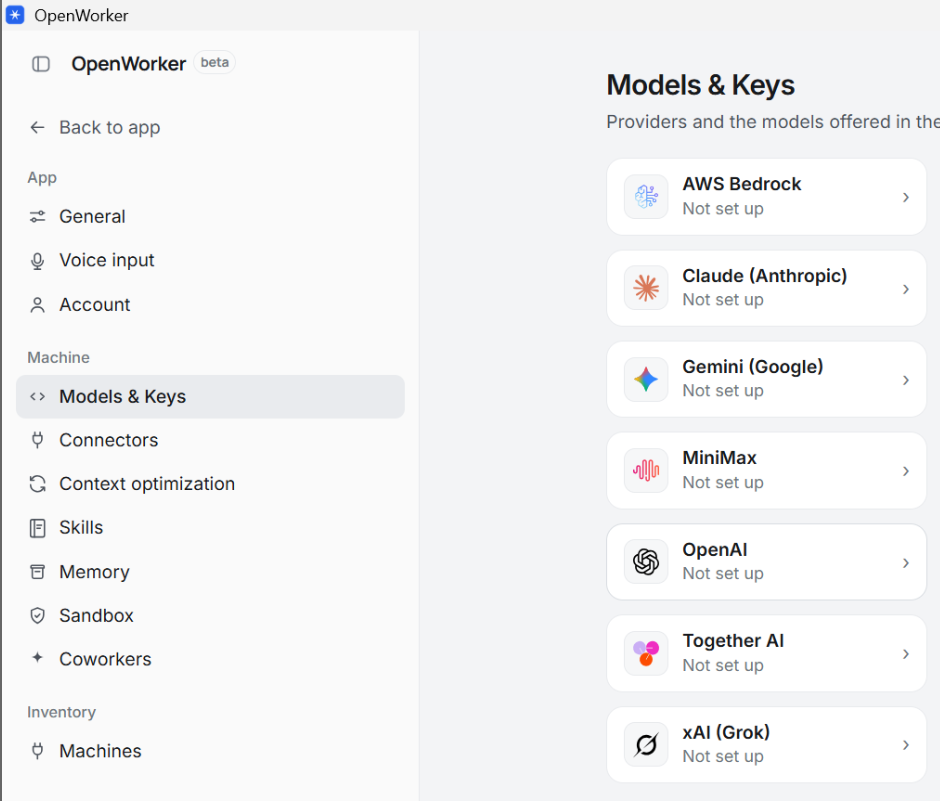
Open it, skip the initial configuration and open the settings as show below
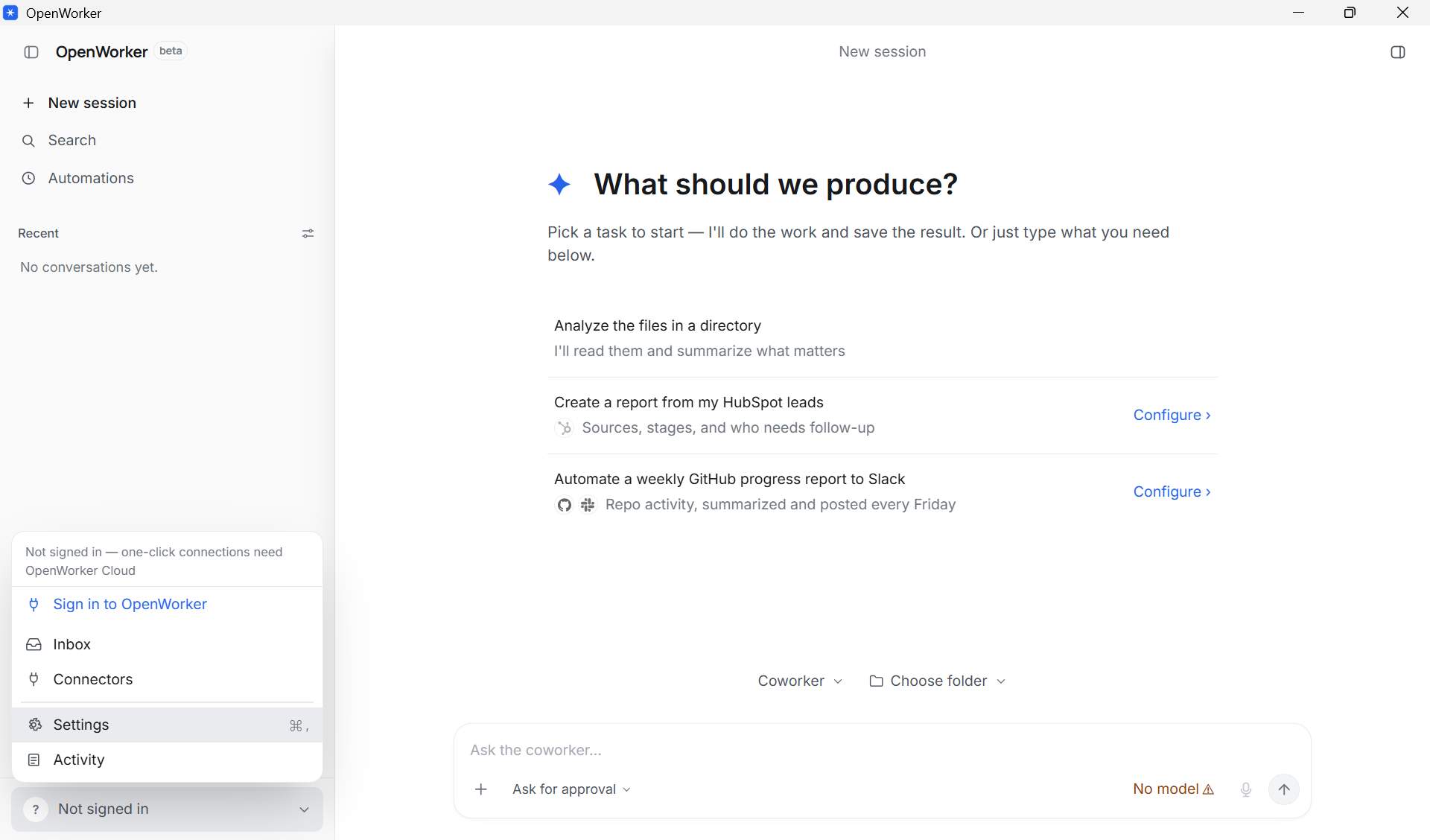
-
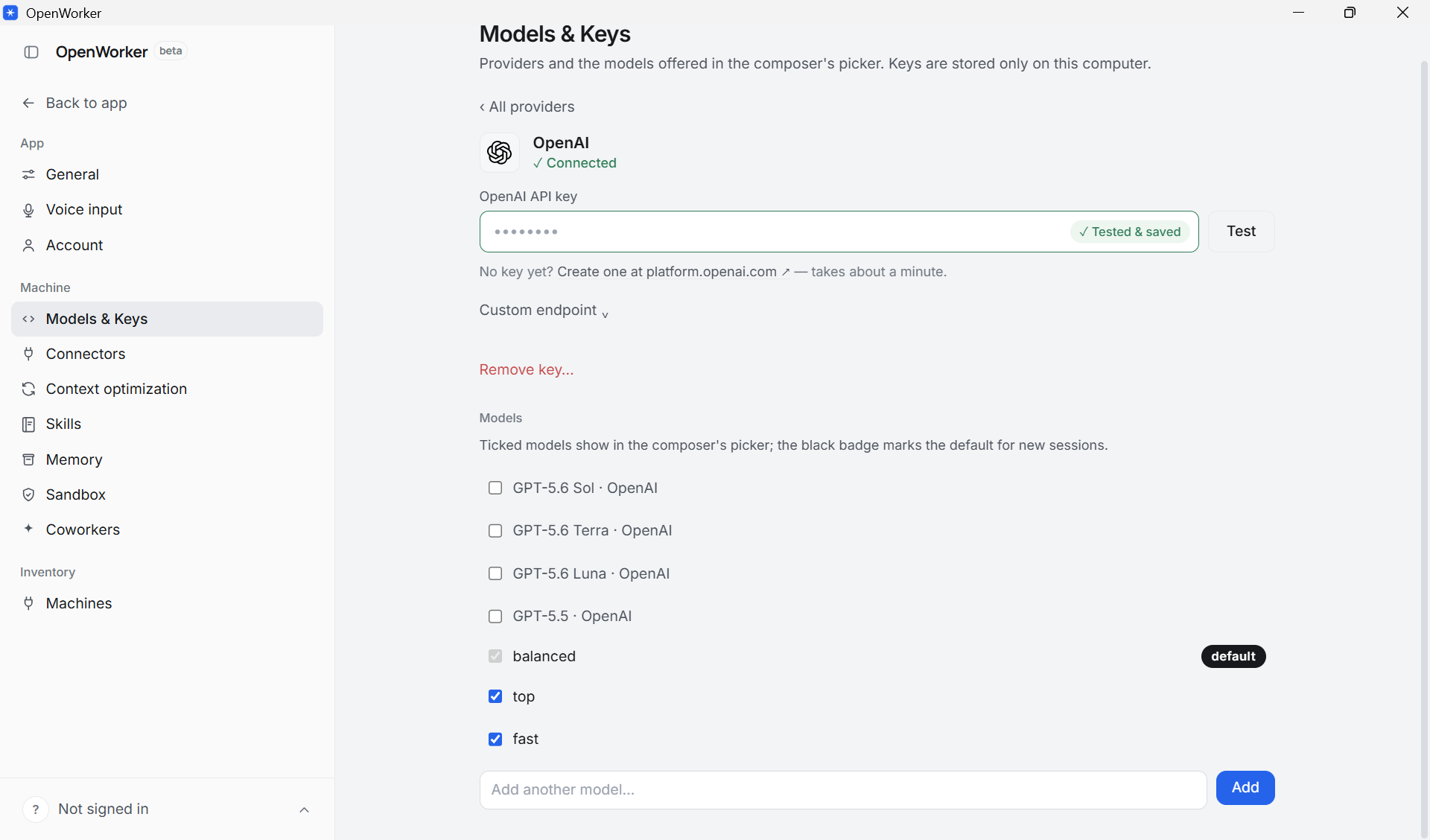
Configure the OpenAI endpoint
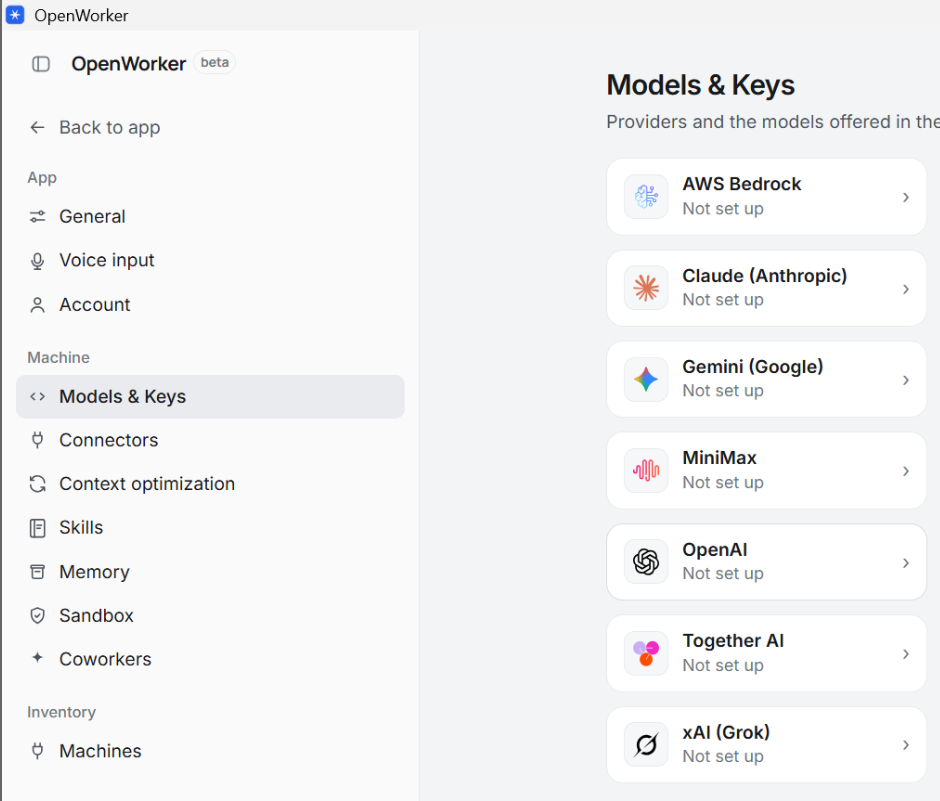
-
Insert your apiKey and the url of the gateway (under the custom endpoint section) https://llm-api-gw.elettra.eu/v1, and add the 3 models top,balanced and fast, set one of them as default
-
Disable all the other models
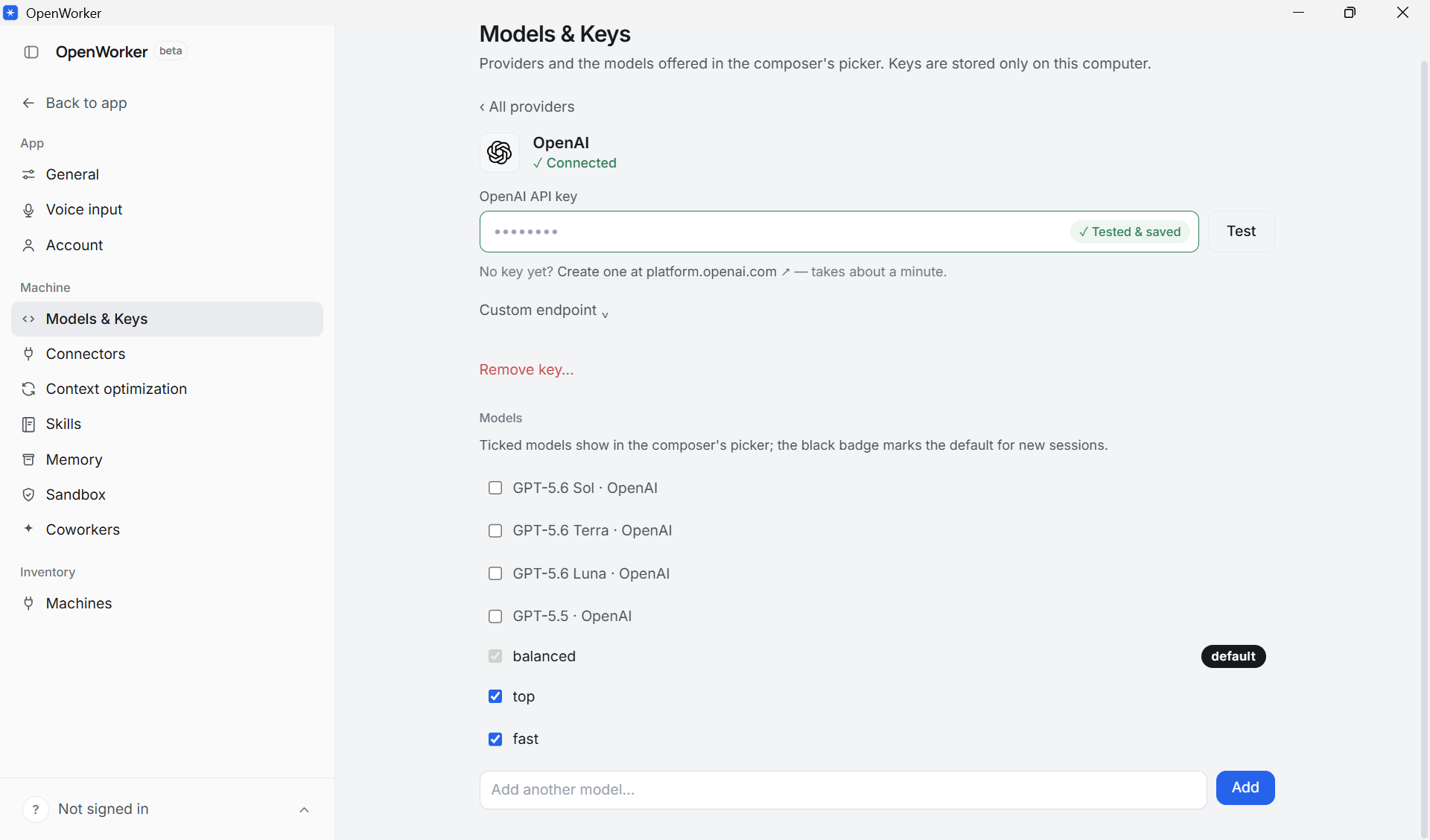
-
You are ready to use OpenWorker
Linux
You have to use https://github.com/andrewyng/openworker#run-from-source instruction to run the OpenWorker