# Elettra eContacts
##  **Elettra eContacts**
**A fast, installable phonebook for Elettra — also available offline**
### **Access**
[](https://kb.elettra.eu/uploads/images/gallery/2026-04/scaled-1680-/N2vVZHJimHk2OF5T-fg40cs.png)
[https://vuo.elettra.eu/econtacts](https://vuo.elettra.eu/econtacts)
### **Why eContacts?**
#### • Works offline after first synchronization (⚠️ requires [Installation](#bkmrk-installation "Installation"))
• Faster access than the standard web phonebook
• Installable as an app on mobile and desktop
• Designed for everyday use
> **Note:** We strongly recommend [Installation](#bkmrk-installation "Installation"), as it lets you access the phonebook even when the network is temporarily unavailable
### **Main Features**
• Approximate search • Favorites
• Status indicators
• Automatic synchronization
• Cross‑platform (Android, iOS, Windows, macOS)
### **Installation** ([PC](#bkmrk-chrome-%28all-pcs-oper "Chrome (All PCs operative systems)"), [Mobile](#bkmrk-chrome-%28phonebook--- "Chrome (Phonebook - Android)"))
##### **Chrome (All PCs operative systems)**
Open the link ([https://vuo.elettra.eu/econtacts](https://vuo.elettra.eu/econtacts))
[](https://kb.elettra.eu/uploads/images/gallery/2026-04/U8CoFSXvg6svkjSq-image.png)
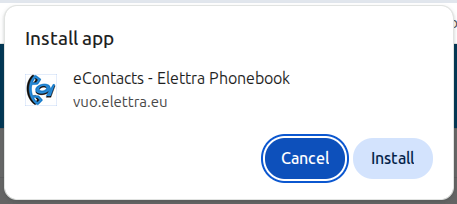
Clicking on the icon, the alert will compare, click Install.
[](https://kb.elettra.eu/uploads/images/gallery/2026-04/qa7NxhbfBHUkraI4-image.png)
After these the App is installed!
On **windows** you can find the icon directly on the desktop, if you want to taskbar:
Open eContacts app, right click on the taskbar econtacts icon, then click "Pin to taskbar"
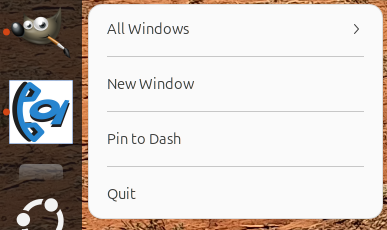
On **linux** you can find it in the application grid, if you want on the Dash:
Open eContacts app, right click on the Dash econtacts icon, then Options and select "Pin to Dash"
[](https://kb.elettra.eu/uploads/images/gallery/2026-04/aGYbo8Z4j1BpnyFz-image.png)
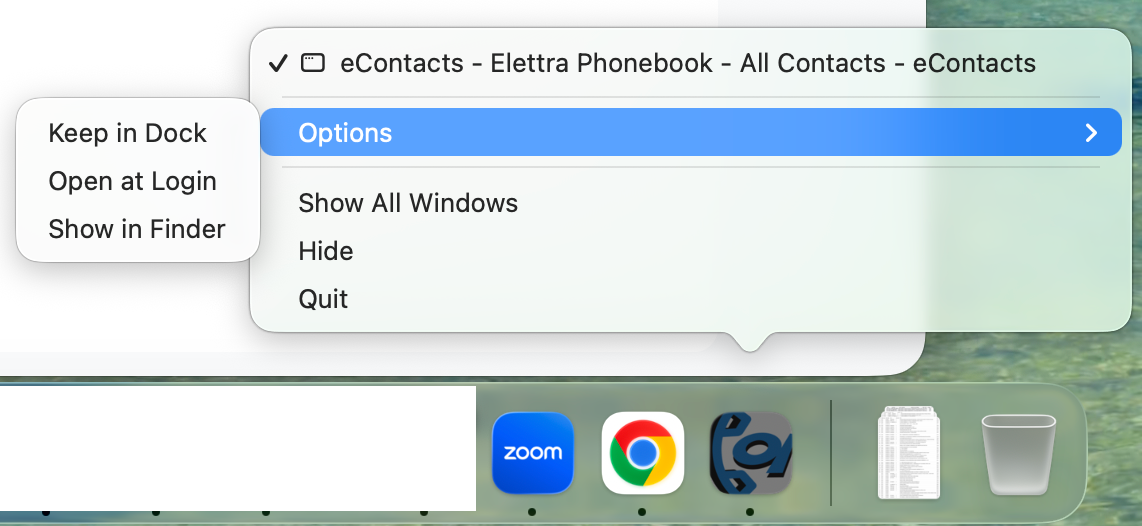
On **macOs,** if you want it on the taskbar:
Open eContacts app, right click on the taskbar econtacts icon, then Options and select "Keep in dock"
##### **Chrome (Phonebook - Android)**
[](https://kb.elettra.eu/uploads/images/gallery/2026-04/scaled-1680-/N2vVZHJimHk2OF5T-fg40cs.png)
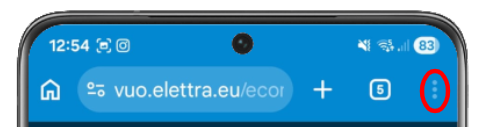
Click on the 3 vertical dots
[](https://kb.elettra.eu/uploads/images/gallery/2026-04/WIheMYiA1Wkzuri2-image.png)
The Aggiungi alla schermata -> Installa-> Installa
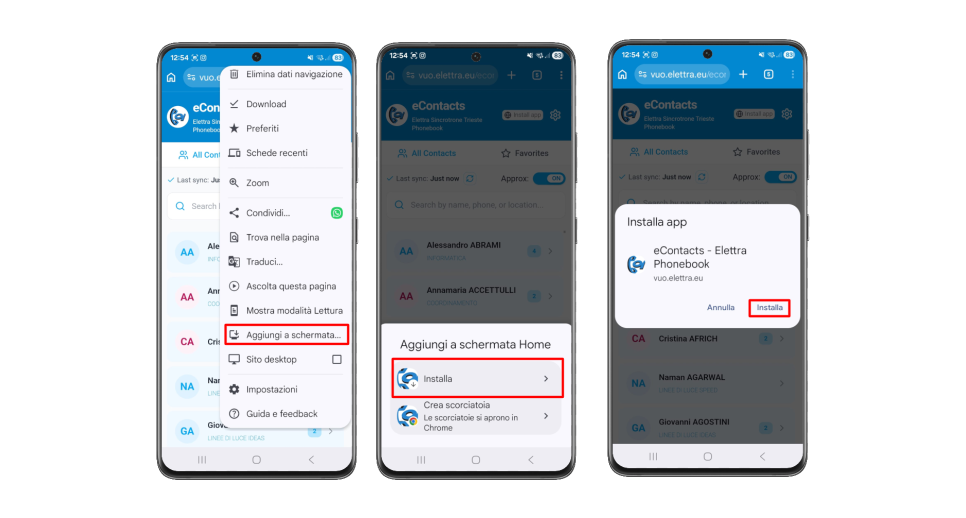Then you can find the app like any other app on yout smartphone!
##### **Chrome (Safari - ios)**
Open the link, then click on share, select add to homepage and save it!
Now you can use the app like normal ones!
### **Interface Overview**
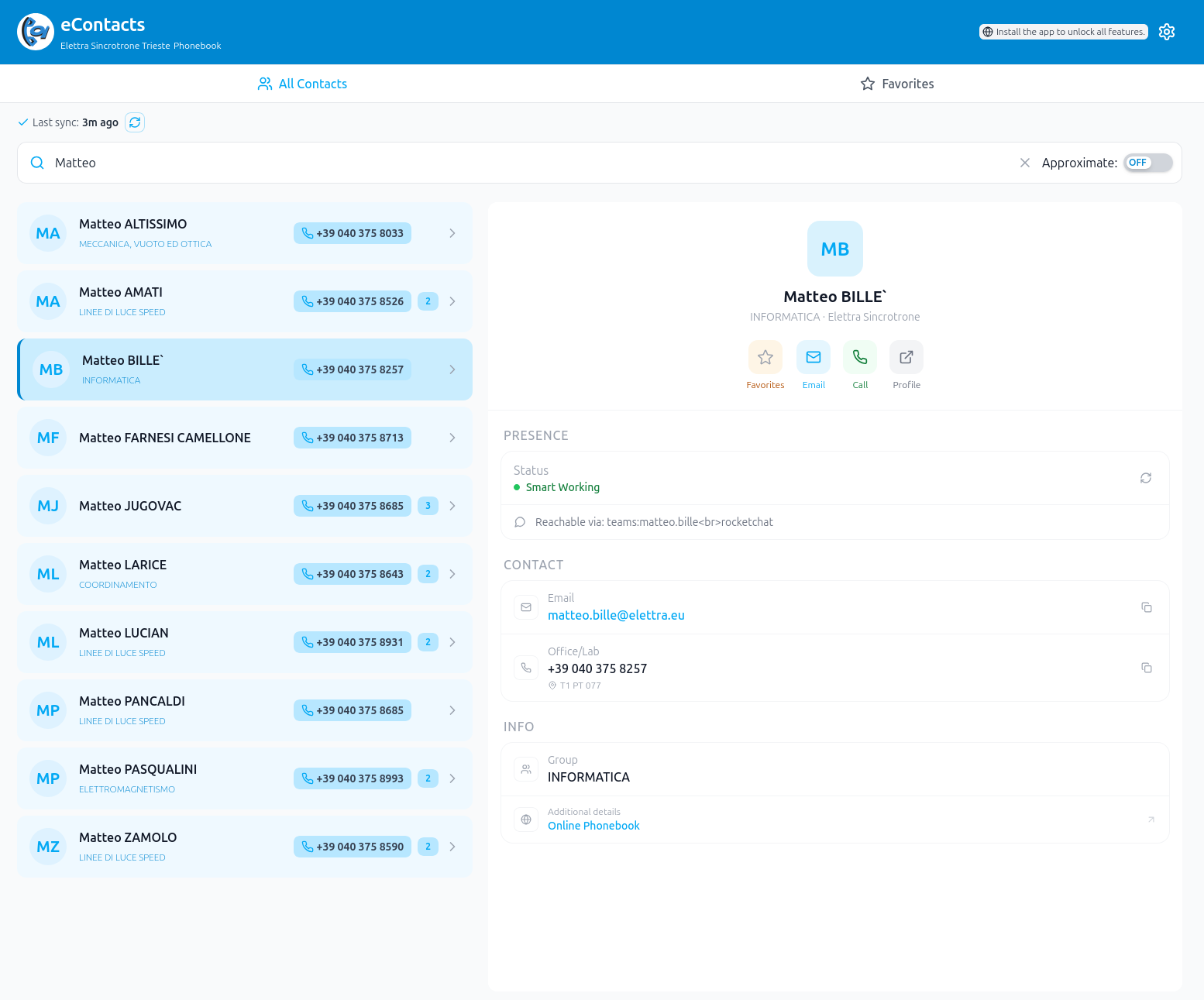
##### ***Search & Contacts***
[](https://kb.elettra.eu/uploads/images/gallery/2026-04/LeDaaGTwzqMQ0ZRL-image.png)
• Fast search bar
• Scrollable contact list
• Tap a contact to view details on the right
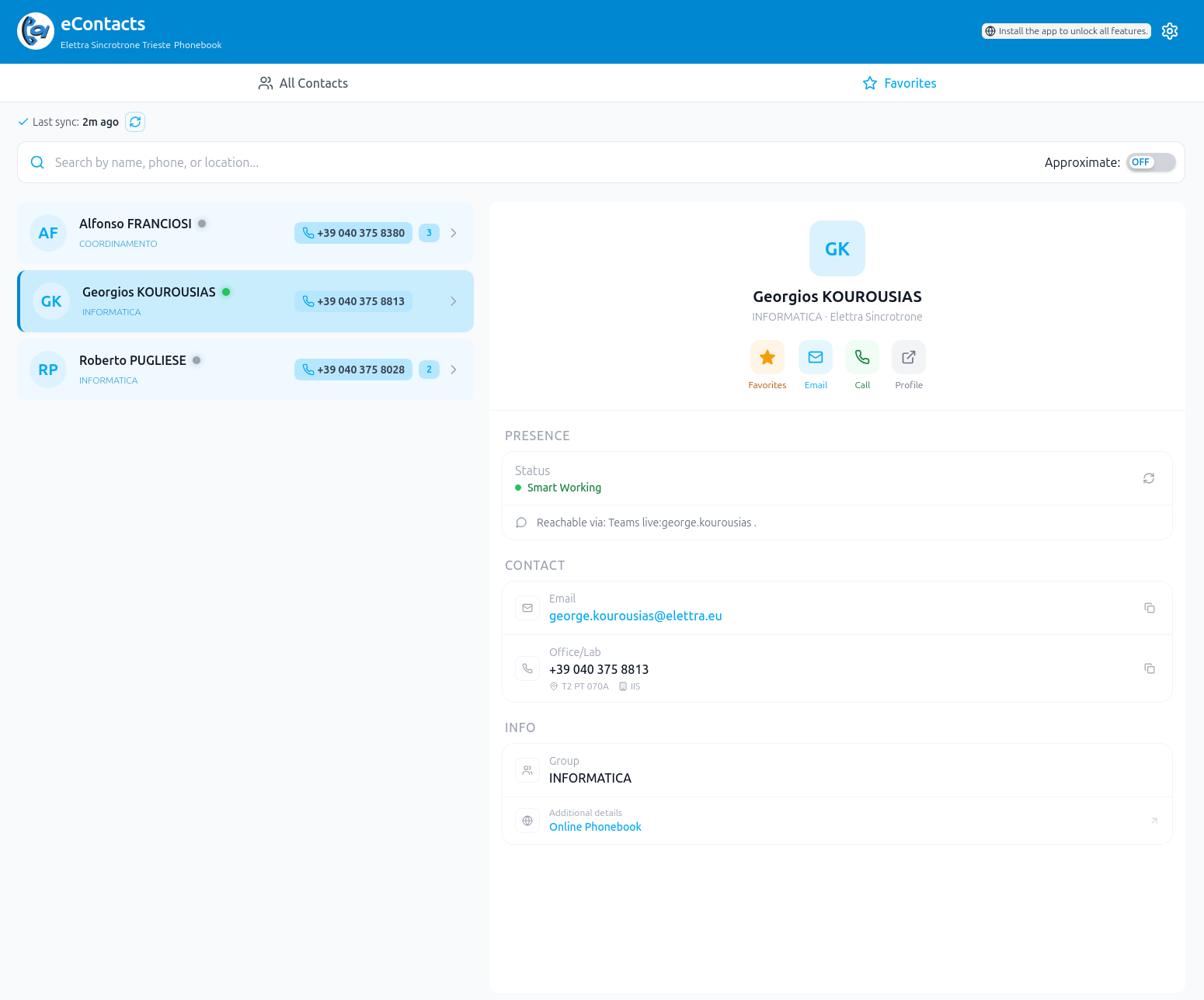
##### ***Favorites***
[](https://kb.elettra.eu/uploads/images/gallery/2026-04/1sngOByoONlfNySb-image.png)
• Star contacts for quick access
• Dedicated favorites tab
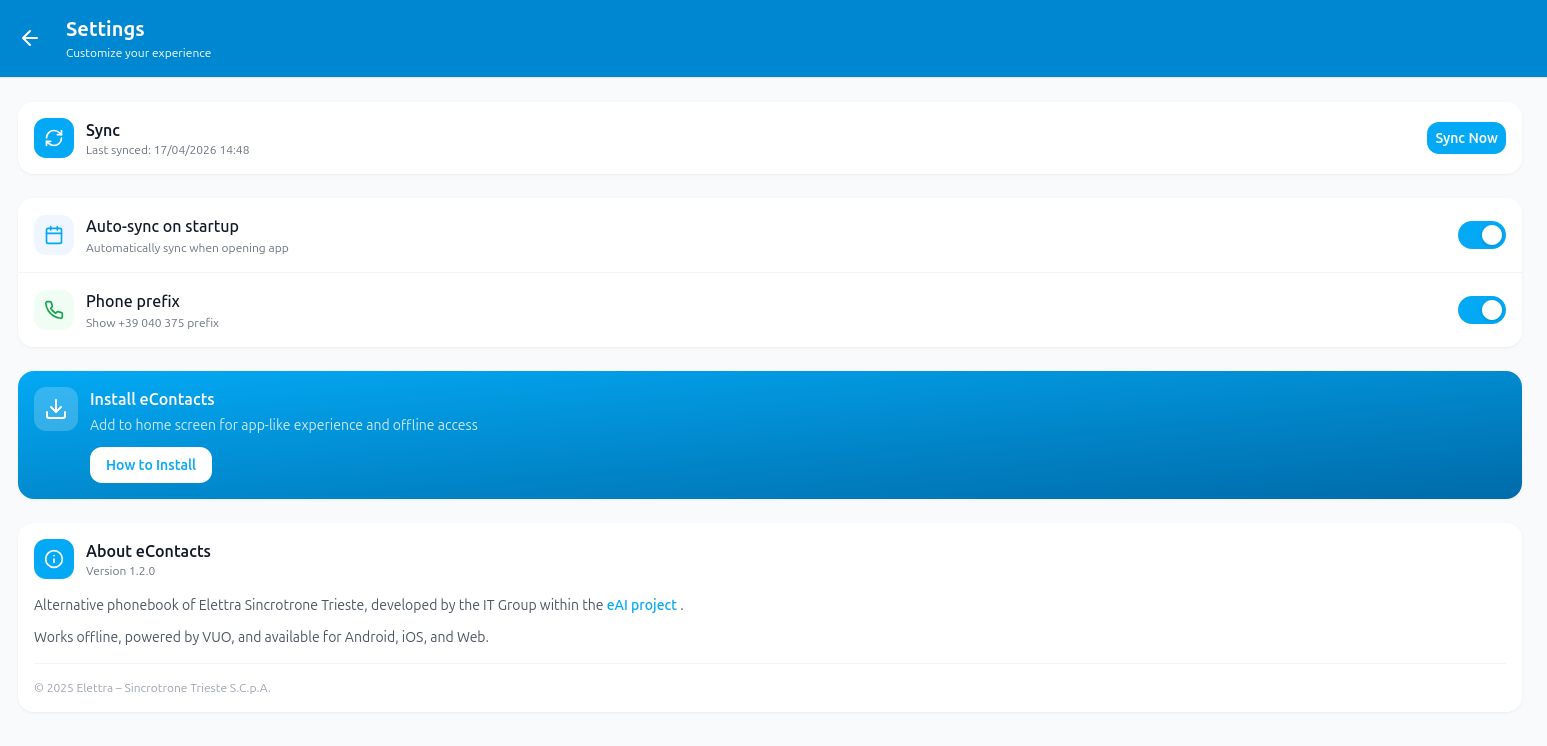
##### ***Settings***
[](https://kb.elettra.eu/uploads/images/gallery/2026-04/VSedJV5n6oxJsfRr-image.png)
• Manual or automatic sync
• Optional phone prefix
• Offline usage enabled after synchronization
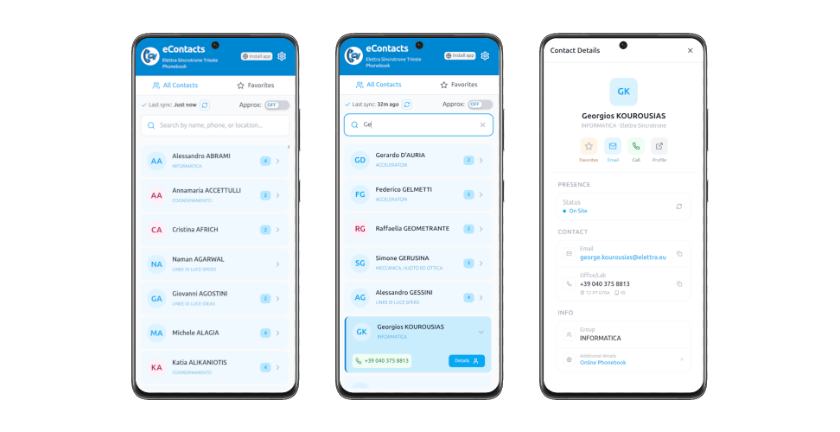
### **Mobile Support**
[](https://kb.elettra.eu/uploads/images/gallery/2026-04/5Rts3DBdGHPNC1Nx-image.png)
### **Support**
For questions or feedback: [matteo.bille@elettra.eu](matteo.bille@elettra.eu)