Elettra eContacts
 Elettra eContacts
A fast, installable phonebook for Elettra — also available offline
Access

https://vuo.elettra.eu/econtacts
Why eContacts?
• Works offline after first synchronization (⚠️ requires Installation)
• Faster access than the standard web phonebook
• Installable as an app on mobile and desktop
• Designed for everyday use
Note: We strongly recommend Installation, as it lets you access the phonebook even when the network is temporarily unavailable
Main Features
• Approximate search • Favorites
• Status indicators
• Automatic synchronization
• Cross‑platform (Android, iOS, Windows, macOS)
Installation (PC, Mobile)
Chrome (All PCs operative systems)
Open the link (https://vuo.elettra.eu/econtacts)

Clicking on the icon, the alert will compare, click Install.
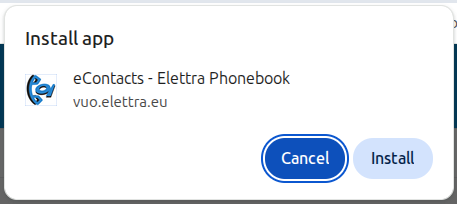
After these the App is installed!
On windows you can find the icon directly on the desktop, if you want to taskbar:
Open eContacts app, right click on the taskbar econtacts icon, then click "Pin to taskbar"
On linux you can find it in the application grid, if you want on the Dash:
Open eContacts app, right click on the Dash econtacts icon, then Options and select "Pin to Dash"
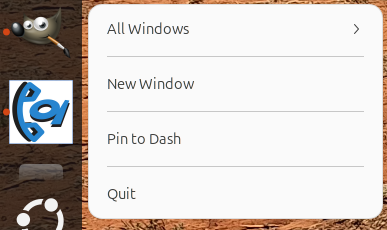
On macOs, if you want it on the taskbar:
Open eContacts app, right click on the taskbar econtacts icon, then Options and select "Keep in dock"

Chrome (Phonebook - Android)
Click on the 3 vertical dots
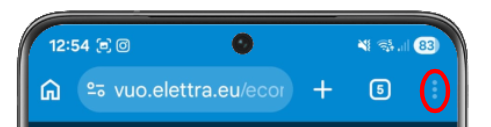
The Aggiungi alla schermata -> Installa-> Installa

Then you can find the app like any other app on yout smartphone!
Chrome (Safari - ios)
Open the link, then click on share, select add to homepage and save it!
Now you can use the app like normal ones!
Interface Overview
Search & Contacts
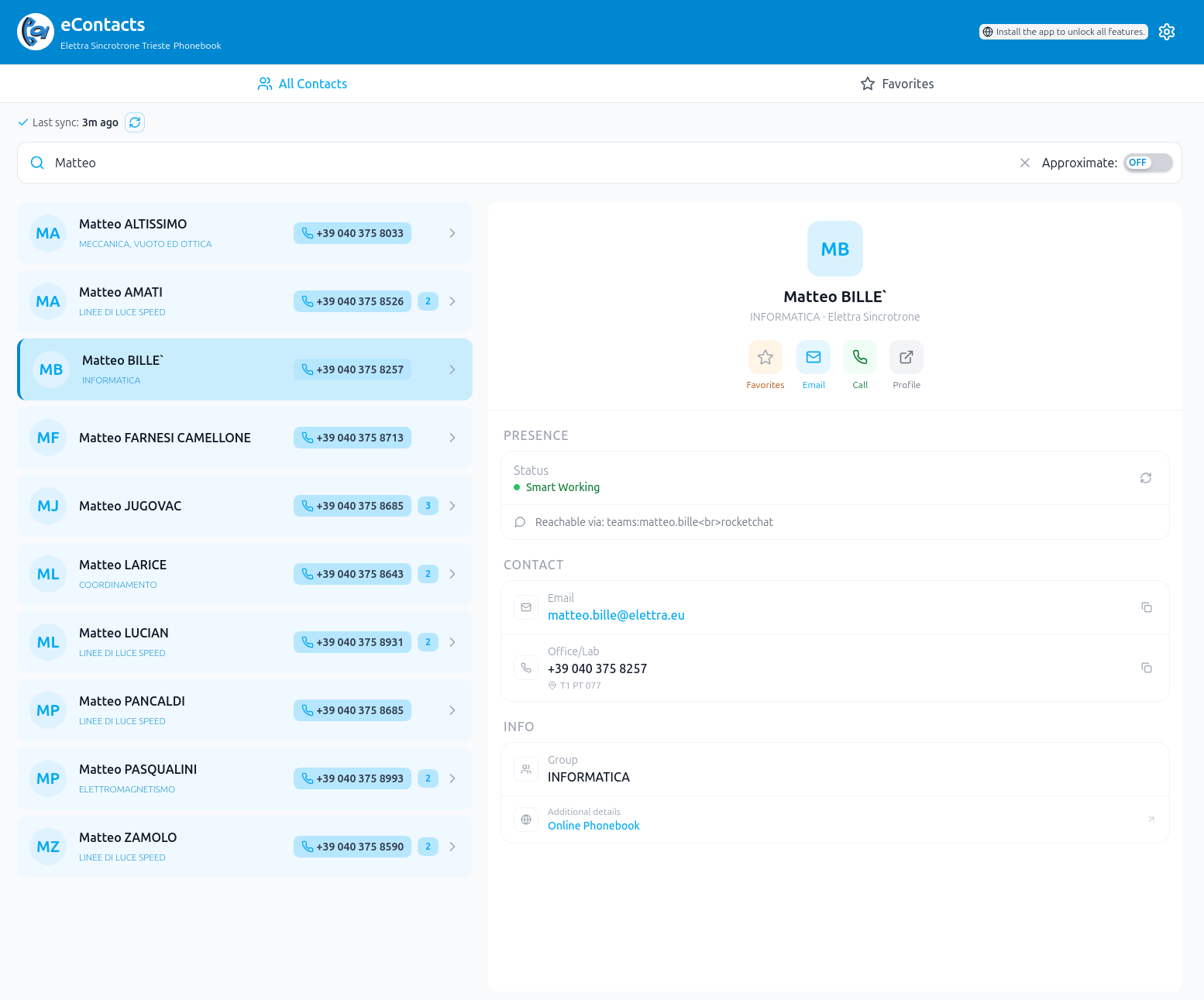
• Fast search bar
• Scrollable contact list
• Tap a contact to view details on the right
Favorites
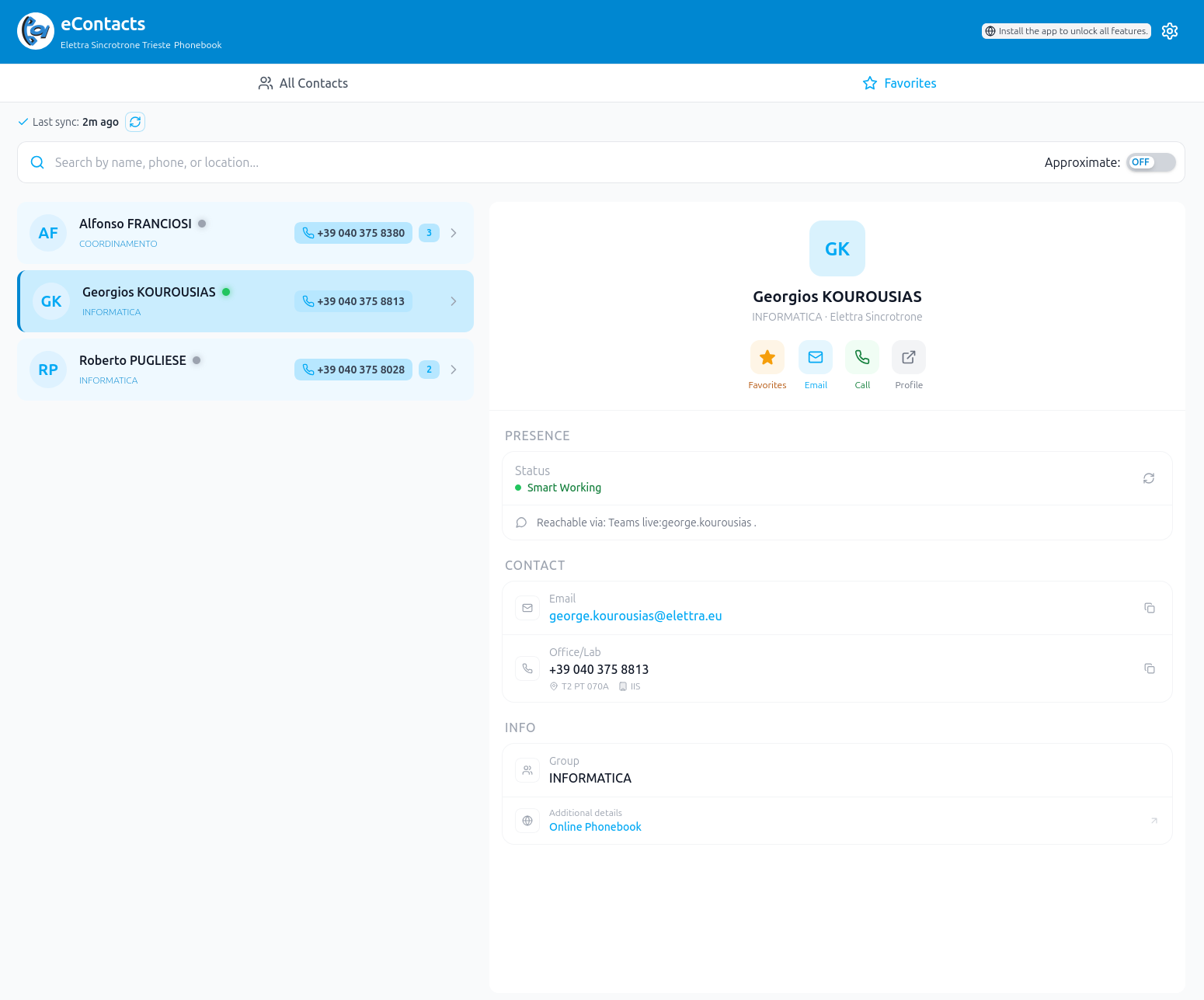
• Star contacts for quick access
• Dedicated favorites tab
Settings
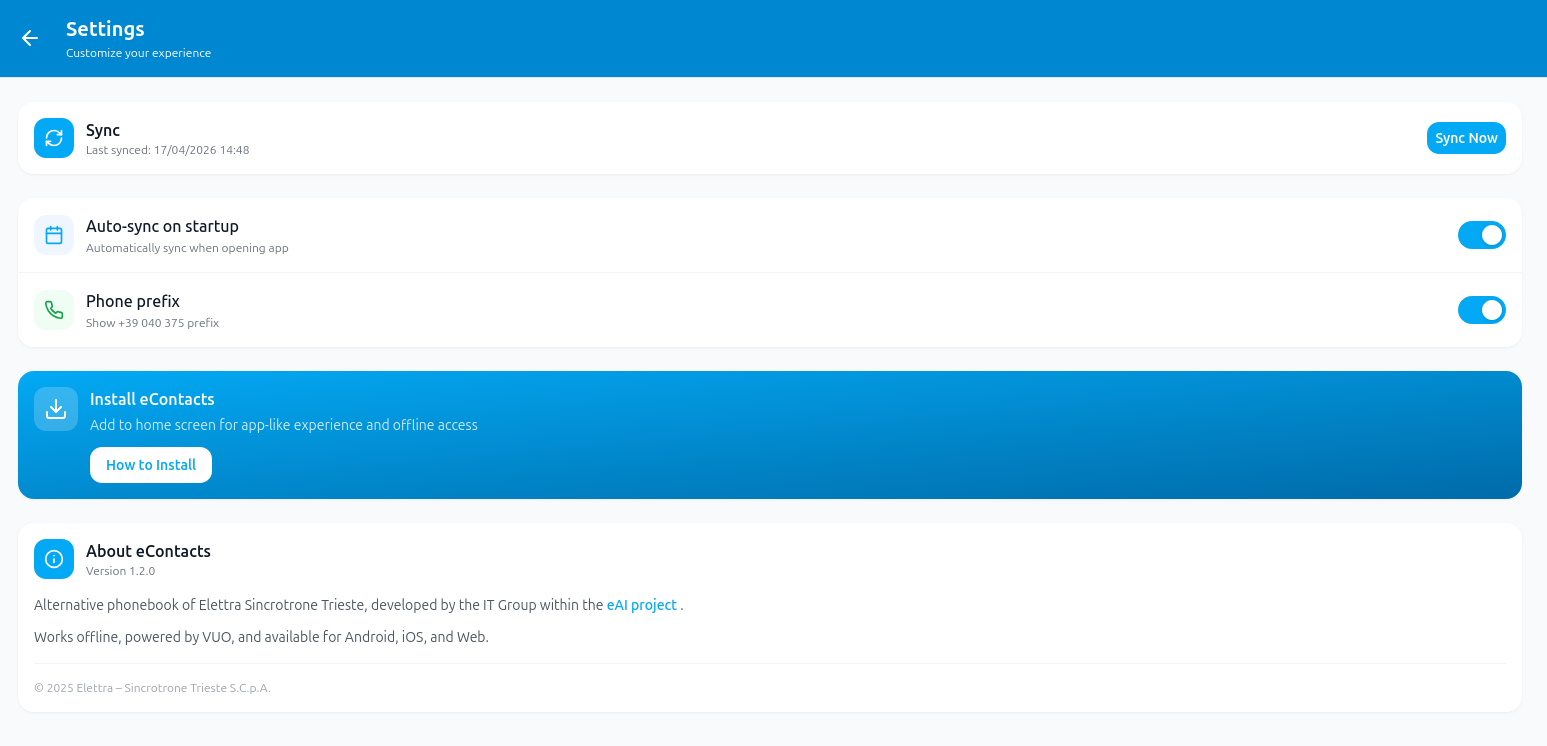
• Manual or automatic sync
• Optional phone prefix
• Offline usage enabled after synchronization
Mobile Support

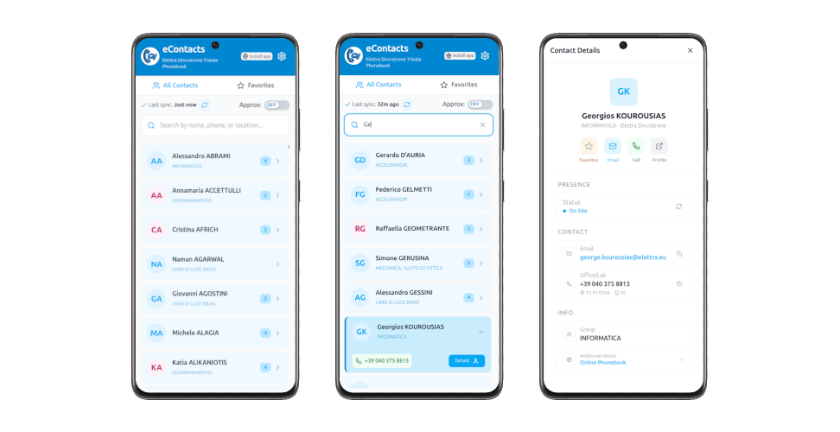
Support
For questions or feedback: matteo.bille@elettra.eu